
To ensure that your material is printed in the best possible quality, we have prepared detailed instructions for properly preparing files for printing. Proper preparation involves the correct import of color profiles, proper file saving, defining overhangs and other technical aspects that are key to the precision and fidelity of the display of colors, design elements and finishing.
By following these guidelines, you avoid the possibility of error and ensure that the end product fully meets your expectations.
Preparation format
When preparing material for printing, it is important to submit the file in the appropriate format to ensure a quality outcome. You need to submit the file to us PDF format (Portable Document Format), as it is a closed file type that does not allow subsequent modifications, installation of fonts or addition of photo links. In order for us to realize your idea, the PDF file you send us must comply with the standards of our printing house.
Inserting a color profile


To ensure that the print faithfully reproduces the colors and details of your design, it is important to properly set up the file before sending. Adherence to the technical specifications guarantees that the end result will meet your expectations, without unforeseen deviations in colors and display quality.
The PDF file you submit to us should be composed of CMYK color mode, 300 dpi, PDF version 4 (PDF 1.3), because then we will get a flattened, glued PDF without layers.
Of the color profiles, our printing house uses the CMYK color profile PSO Fogra 51 Rel, PSO Fogra 52 Rel, RGB echo RGB v2 ICCv4 and RGB color profile Adobe RGB 1998.
Inserting a PDF preset into Illustrator
Go to the Edit/Adobe PDF Presets/Import drop-down menu
Find the setting you received from us and insert it as follows
Go to the Edit/Adobe PDF Presets/Import drop-down menu
Find the setting you received from us and insert it as follows
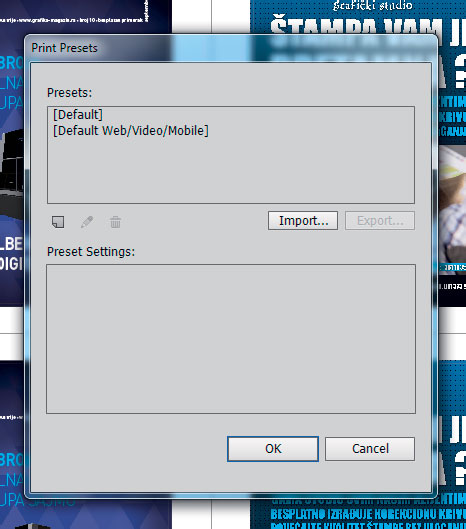
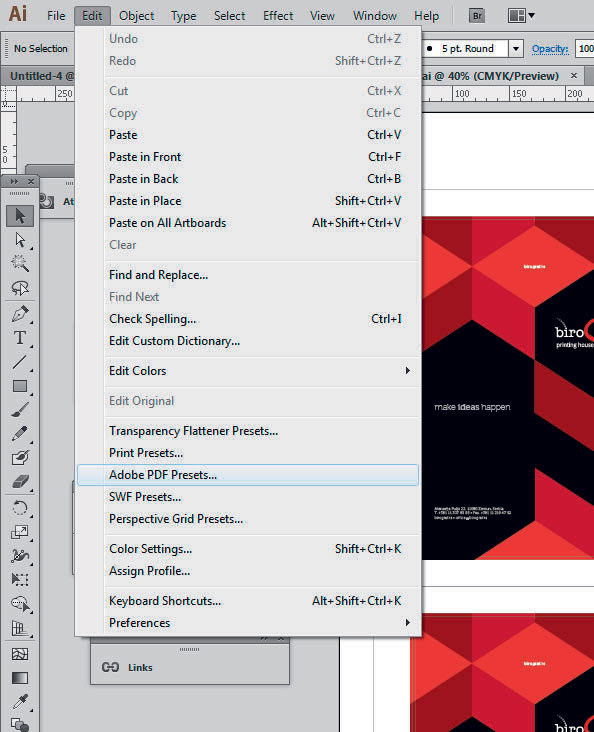
The setting will automatically appear in all Adobe programs.
Export file for printing



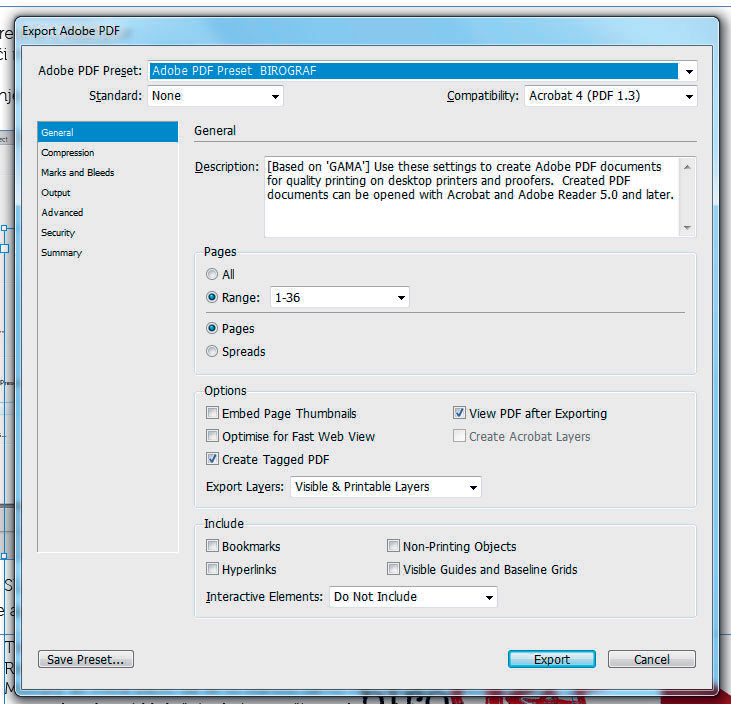
From InDesign we go to Export/
Save As Type: PDF
Select the BIROGRAF preset.
and click on Export
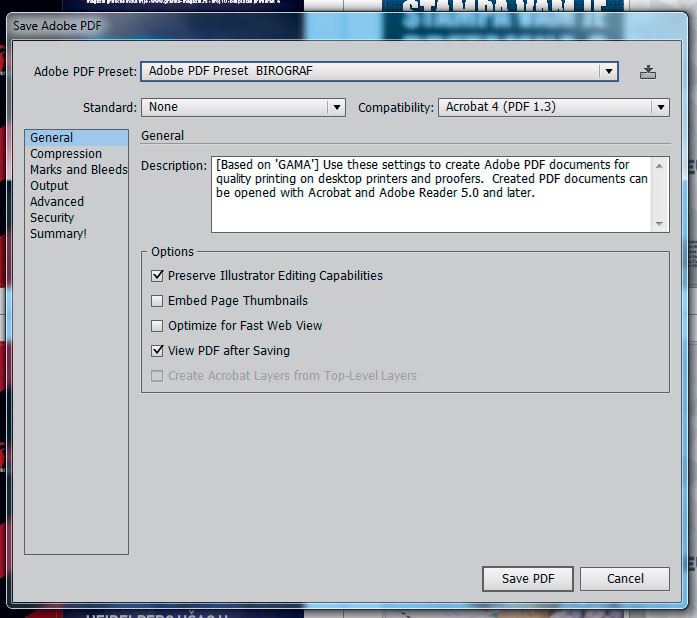

From Illustrator, go to Save As/
Save As Type: PDF
Select the BIROGRAF preset.
and click Save PDF

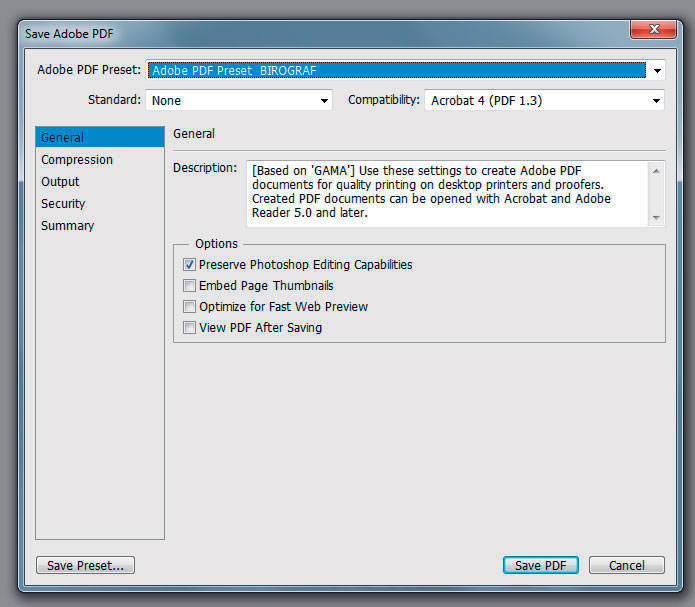
From Photoshop, go to Save As/
In the Format field, select Photoshop PDF
Select the BIROGRAF preset.
and click Save PDF
Overhang

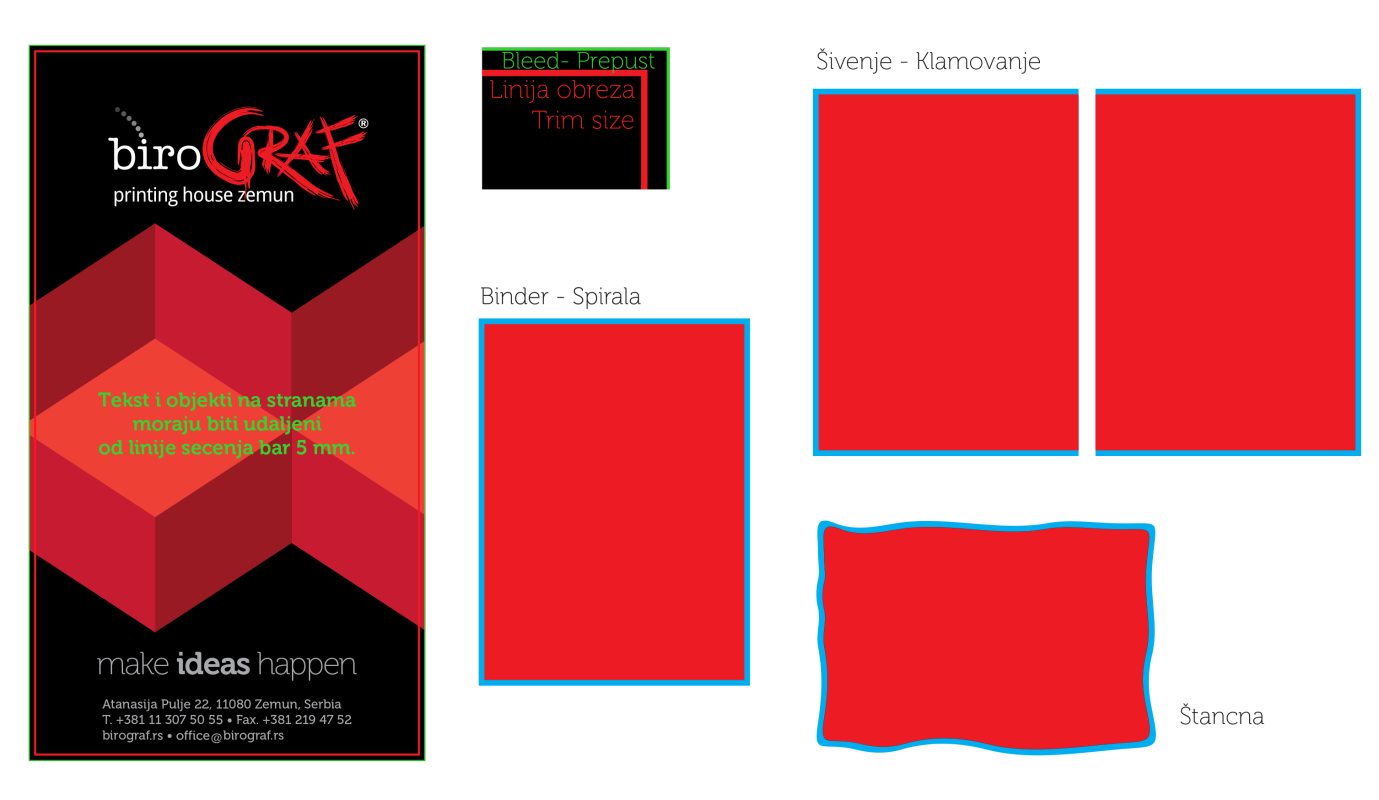
The file must have an overhang of at least 3-5 mm on all sides
(only for brochures that are going to be stapled or sewn from the inside, 0 mm can remain.
Example: If the format of the finished product is A4-210×297 mm, then your document size should be 214×301 mm, or if it is sewing or stapling, then the document size will be 212×301 mm
Color adjustment


Color
- For large areas of black, black must not be set as K 100%, as the result will be a pale print.
- To get a saturated 'deep' black,
it is necessary to use C 50%, M 50%, Y 50% K 100%. - Also black must not be from C 100%, M 100%, Y 100% K 100%.
This means that the tobacco will have 400% color which will not print well.
Pantone (spot) colors
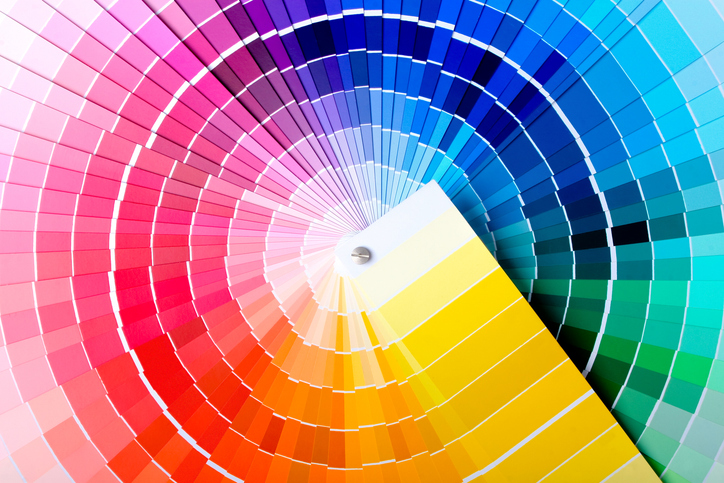
- If the work you bring is in color and needs to be printed from CMYK, you need to convert all spot colors to CMYK before creating the PDF itself.
- If it is necessary to print the job and with spot colors, use standard pantone color values (pantone solid coated in Illustrator and InDesign).
- If somewhere Panton and CMYK overlap, it is necessary to do it so that FILL panton punches the color and OUTLINE 0.25 pt goes to OVERPRINT, so we avoid a mismatch between CMYK and PANTON colors.
Text, photo and cover settings


Text

- Do not play the text in more than one color.
- Exclusively only K 100% and as an overprint.
In case the area of some text is large (title, etc.), then it can be used in all four colors. - You will get the best quality if you make the image or background in Photoshop and text and vector objects (logo, for example) in a vector program.
Avoid small white text on the background of all four colors because with each mismatch, the text will not be white but in the color that does not match. - White text on a black background (into which we inserted colors from the ratio C 50%, M 50%, Y 50% K 100%) can cause a problem because if the colors are not well matched, the color will appear on the edges of the text, which enters the whiteness of the letters and makes the text illegible. The solution is to put black Outline (behind the fill) like K 100 % and then on CMY separations the outline will pierce the base, while only black
reaches the edge of the letter. This way the letters will remain clear.
Photos

- The images you use in preparation should be in 300 dpi resolution, in CMYK.
Covers
Covers with folds (magazines and books with soft covers), you deliver to us so that in one file there are K1 and K2, in another K3, K4 and in the third file the fold itself. Either we tell you the width of the cover or we deliver a drawing according to which you form the cover (hardcover). The overhang of the cover should be on all external sides. On K2 and K3 (inside of the cover), the spine must be white, text and objects must be separated from the spine by at least 7 mm, because when assembled with a book block, the binder sticks 5 mm from the edge of the spine.
For spiral binding, an overhang is left on all sides. In this case, the cover should be submitted in a separate file.
Send an inquiry
If you have any requests or questions regarding the press, please feel free to contact us via the contact form on the right.
We will try to answer you as soon as possible, help and provide the necessary information.
Kind regards,
BiroGRAF team
Latest news
See the latest information about our services, projects, achievements and developments in the world of printing.
See all news
Join the team - open positions in commercial and production
Looking Back and Forward: The Printing Industry in 2024 and Expectations for the 2025 Book Fair.
19
February
February
Revolution in the printing industry: Innovations and sustainable trends in Europe and Serbia
The printing industry in Europe and Serbia is going through exciting changes, bringing innovations that shape the future [...]
17
February
February

How to choose the right printing house for your business
A guide for entrepreneurs who want to choose the right printing house
12
Jan
Jan
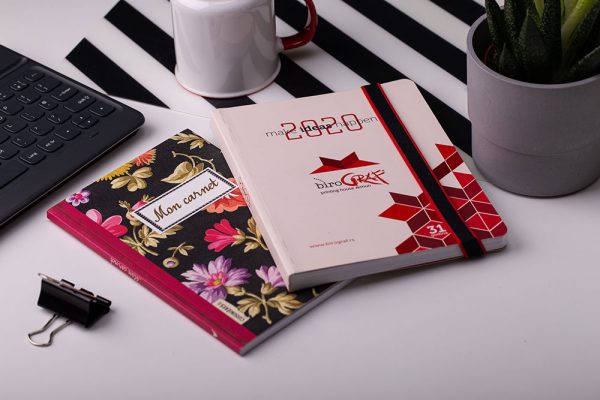
Personalized Printing: The Future of Marketing
Read how personalized printing helps in marketing campaigns.
30
New
New

The beginning and development of offset printing
Offset printing has come a long way from its beginnings to today, remaining one of the most reliable [...]
19
New
New
10 tips for efficient brochure and catalog printing
Printing brochures and catalogs is a key part of any company's marketing strategy. Quality printing contributes to a better [...]
29
Oct
Oct